Device Configuration
Navigation
Administrator -> Device
Configuration Process
The administrator must follow these steps to configure devices and manage access:
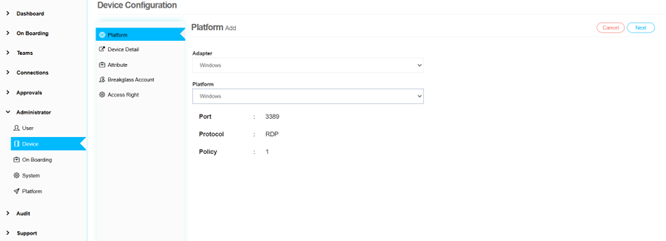
1. Adapter and Platform Selection
Choose the appropriate adapter and platform from available options: - Windows - Linux - Oracle - MSSQL - MYSQL
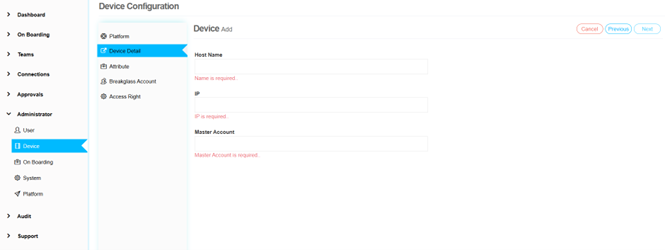
2. Device Details Entry
Enter specific device information including: - Host Name - IP Address - Master Account
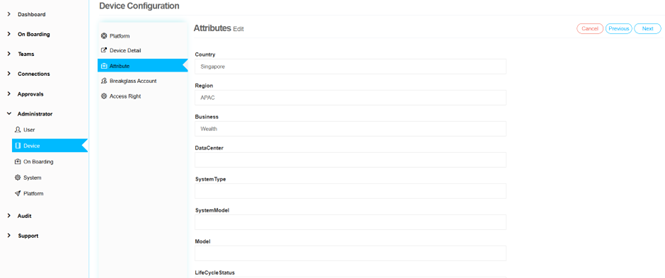
3. Attribute Configuration
Set up attribute values: - Configure predefined attributes - Create and assign custom attributes - Set attribute values
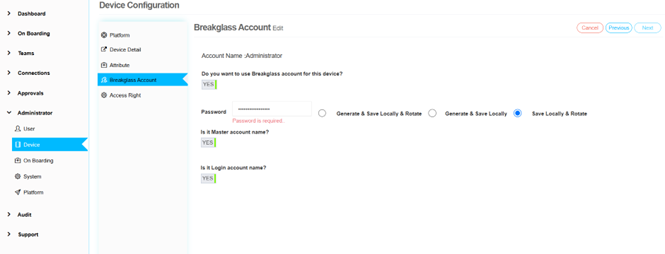
4. Breakglass Account Setup
Configure emergency access accounts with appropriate permissions.
← Previous: On Boarding Configuration | Next: Team Management →