On Boarding Configuration
Navigation
Administrator -> On boarding
Criteria Attribute
The application comes with a set of predefined criteria attributes that can be customized to meet specific requirements. Administrators have the flexibility to: - Enable or disable attributes based on organizational needs - Modify the order of attributes through drag-and-drop functionality - Note: The Platform attribute is mandatory and cannot be disabled

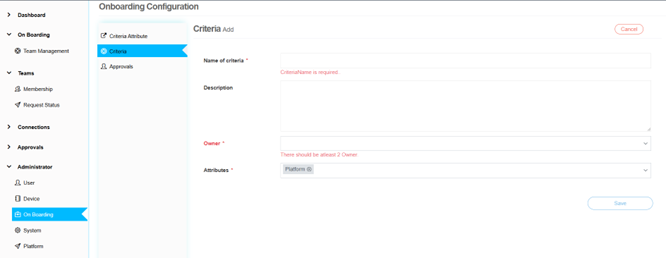
Criteria
The administrator can create criteria within the application for organizing and managing teams effectively. The process includes: - Selecting an owner from a dropdown menu - Choosing multiple attributes to define the criteria - Ensuring unique combinations of owner and attributes
Approval Workflow
The administrator can configure multi-level approval workflows for team membership requests: - Add multiple levels and roles in specific sequences - Configure role-based approvals - Set up sequential approval processes
